They say that you should get your eyes checked every two years but if haven’t had the chance to see a doctor all this time, you can test your vision on your computer as well.
Of course these self eye tests are no substitute for visiting your doctor but if you follow the steps well, you may get some idea about how good (or bad) your vision is.
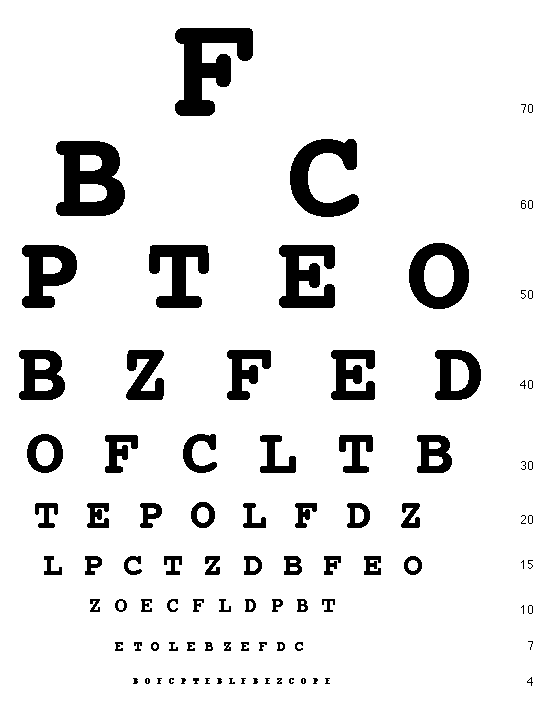 Test your Eyes Online with the Snellen Eye Chart
The Snellen Eye Chart
Most of us are familiar with the Snellen Chart that has rows of alphabets of different sizes – you read these letters from a distance, usually twenty feet, and the smallest row that you can recognize accurately indicates whether you have normal vision or not.
The various eye testing tools that are available online make use of the same Snellen chart.
Test your Eyesight Online
You should start with University at Buffalo’s IVAC tool. Use a physical ruler to measure the length of the line on the screen (the length will vary depending on your screen resolution). Also measure the distance of your eyes from the computer screen. Now read the row of letters on the screen and press ‘smaller’ to display more rows in decreasing sizes.
While performing the test, you need to cover one eye and when you have read all the characters from top-to-bottom, read them again but cover the other eye this time. When you can no longer read the letters, stop!
Also see: Relax your Eyes with 20/20/20 Rule
Another Flash based eye testing tool is hosted on thinkquest.org – this can work accurately only with computer monitors that are either 15”, 17” or 19” in size. Stand four feet from the screen and then follow the on-screen instructions. When the characters are no longer readable, hit the stop button and it will display your visual acuity.
Finally, if you are looking for more DIY solution, try this. Open the Snellen Chart image on your computer screen and measure the size of the big letter E using a ruler. Multiply that number by 2.838 and stand that far from the screen while taking the test. Now try reading the different letters, top to bottom, to check your vision.
Comments
Post a Comment